Adobe
EVERYTHING BELOW IS FOR WINDOWS SYSTEMS ONLY
- Only work on Windows 10 & 11
- ARM Architecture is not supported
- macOS, Linux or modified Windows version not supported
Installation
- Navigate to the app folder
- Download the .7z folder
- Extract the .7z folder
- Click on the .iso file and Installation
Troubleshooting
Windows Defender WILL block you from installing the app. You should turn it off before installing.
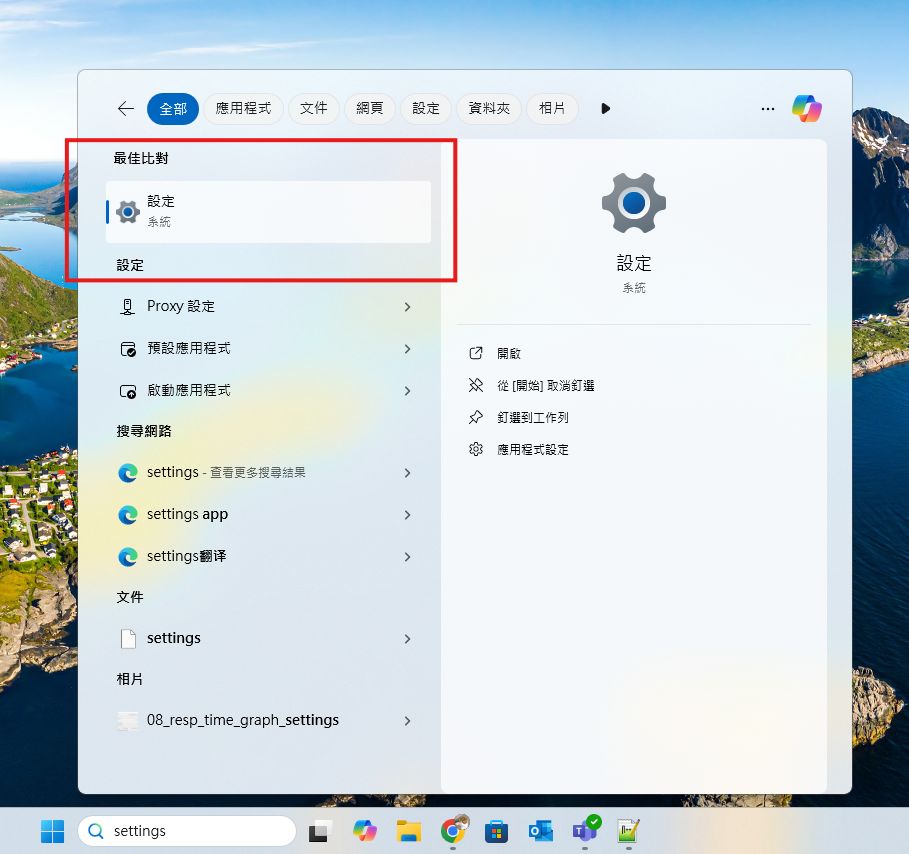
- Navigate to Windows Settings
- Navigate to Privacy & security -> Open Windows Security
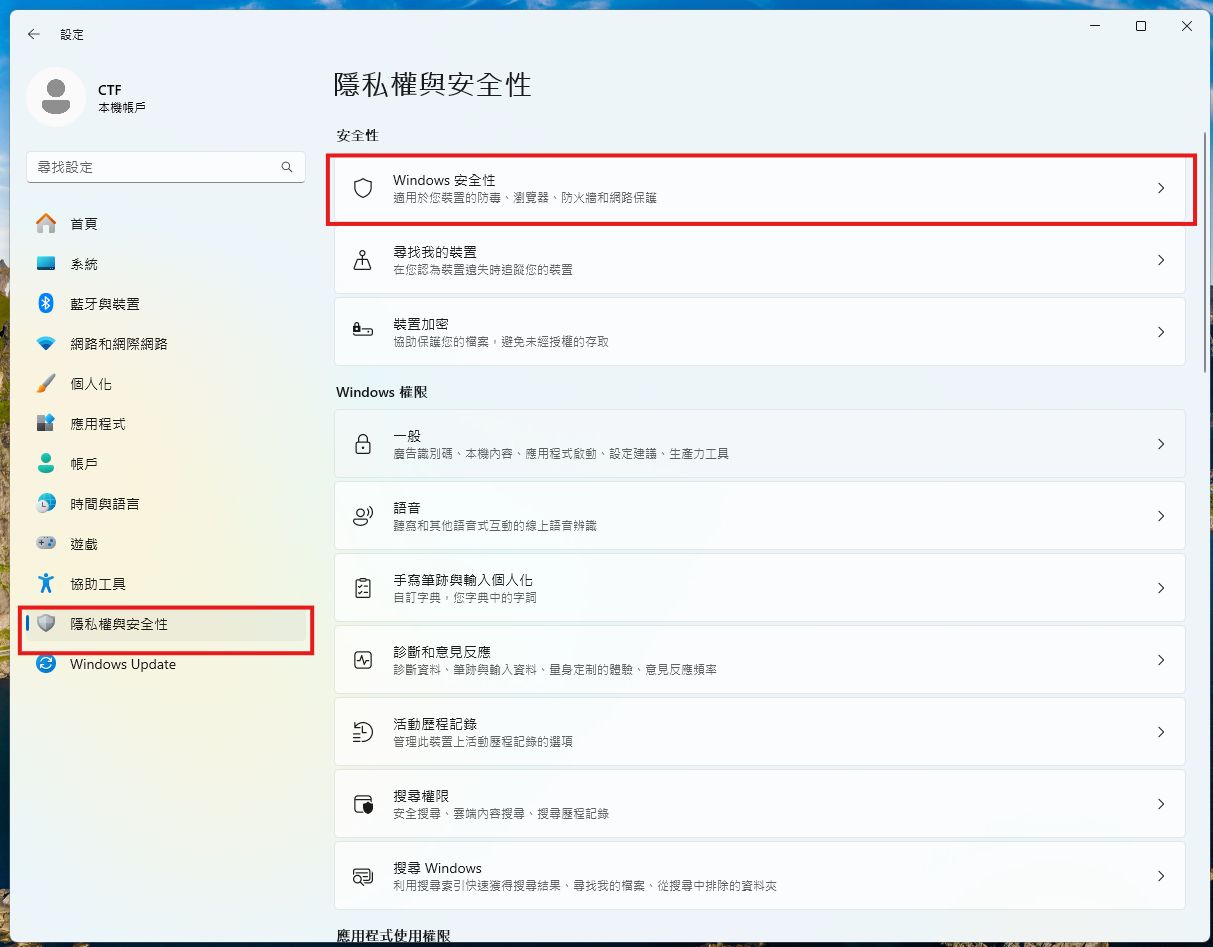
- Open Windows Security

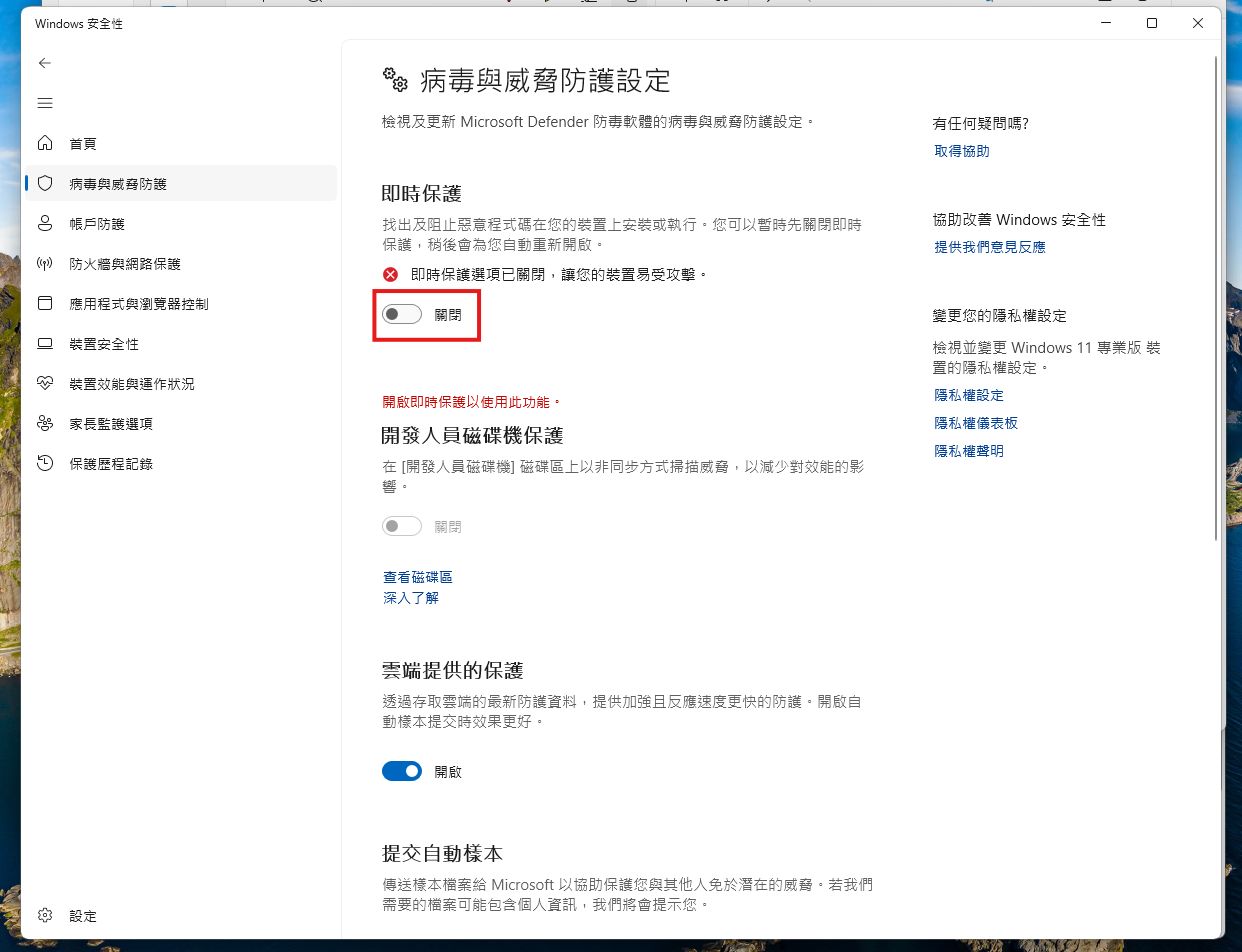
- Navigate to Virus & threat protection settings -> Manage settings

- Turn off Real-time protection
- Proceed to install the Adobe app